Type a few words.
No exact titles, no quotes needed. Search everything at once, one folder, a tag, or only the results you already have.
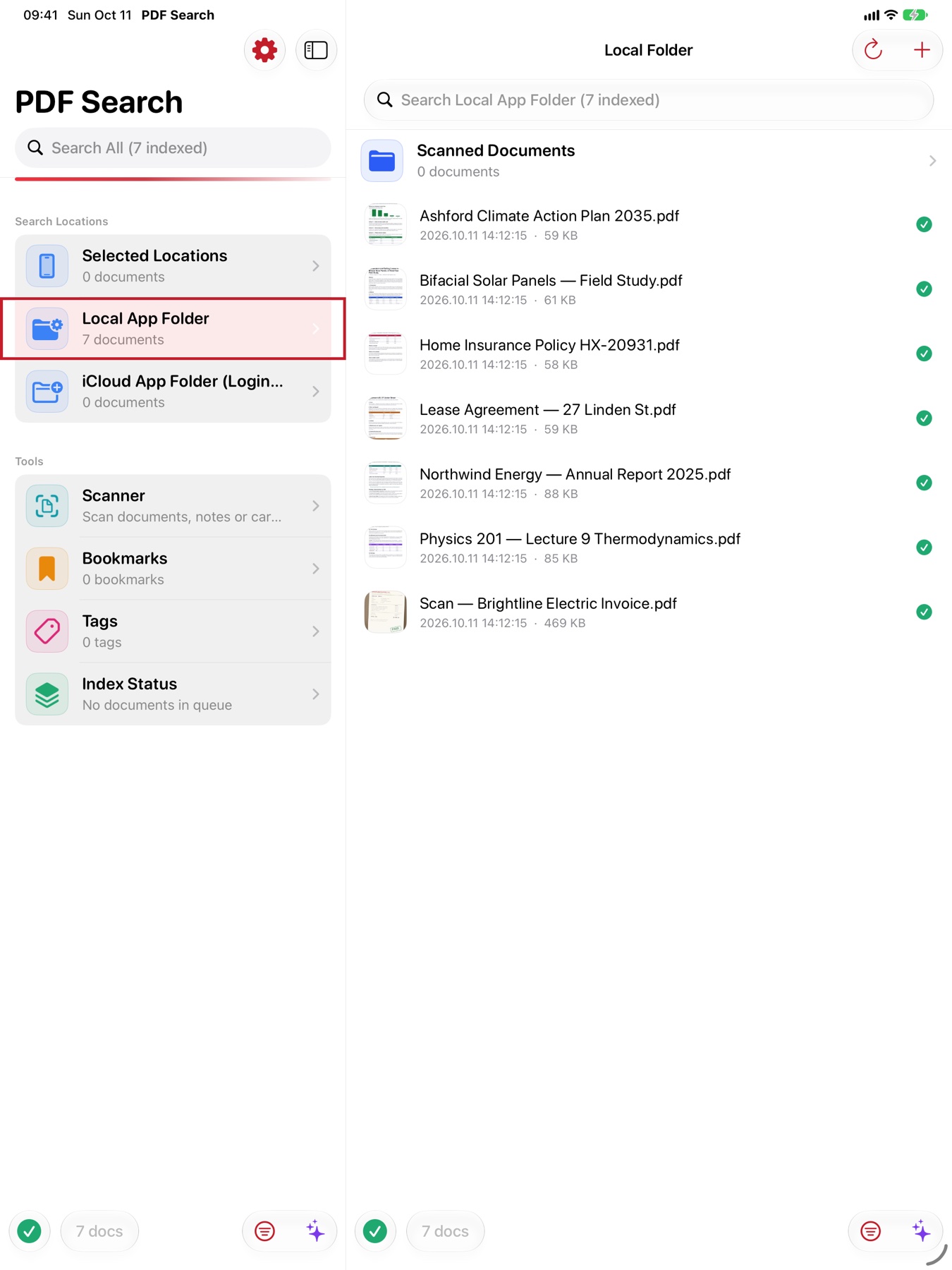
PDF Search reads every word in every document you own, ranks the pages that answer you best, and lets you ask questions in plain words — every answer pointing back to its page.


Free on iPhone, iPad and Mac · PRO editions without subscriptions
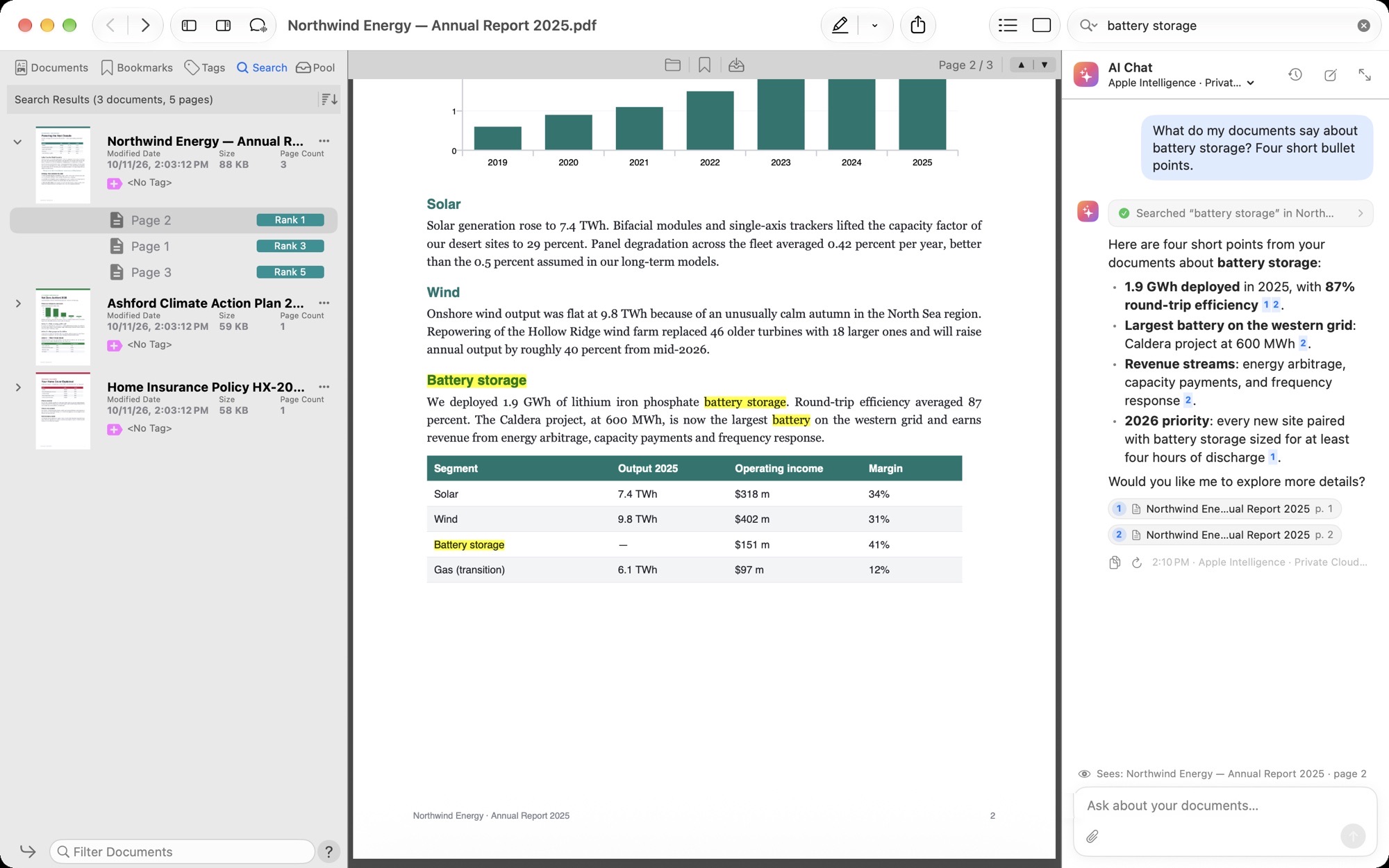
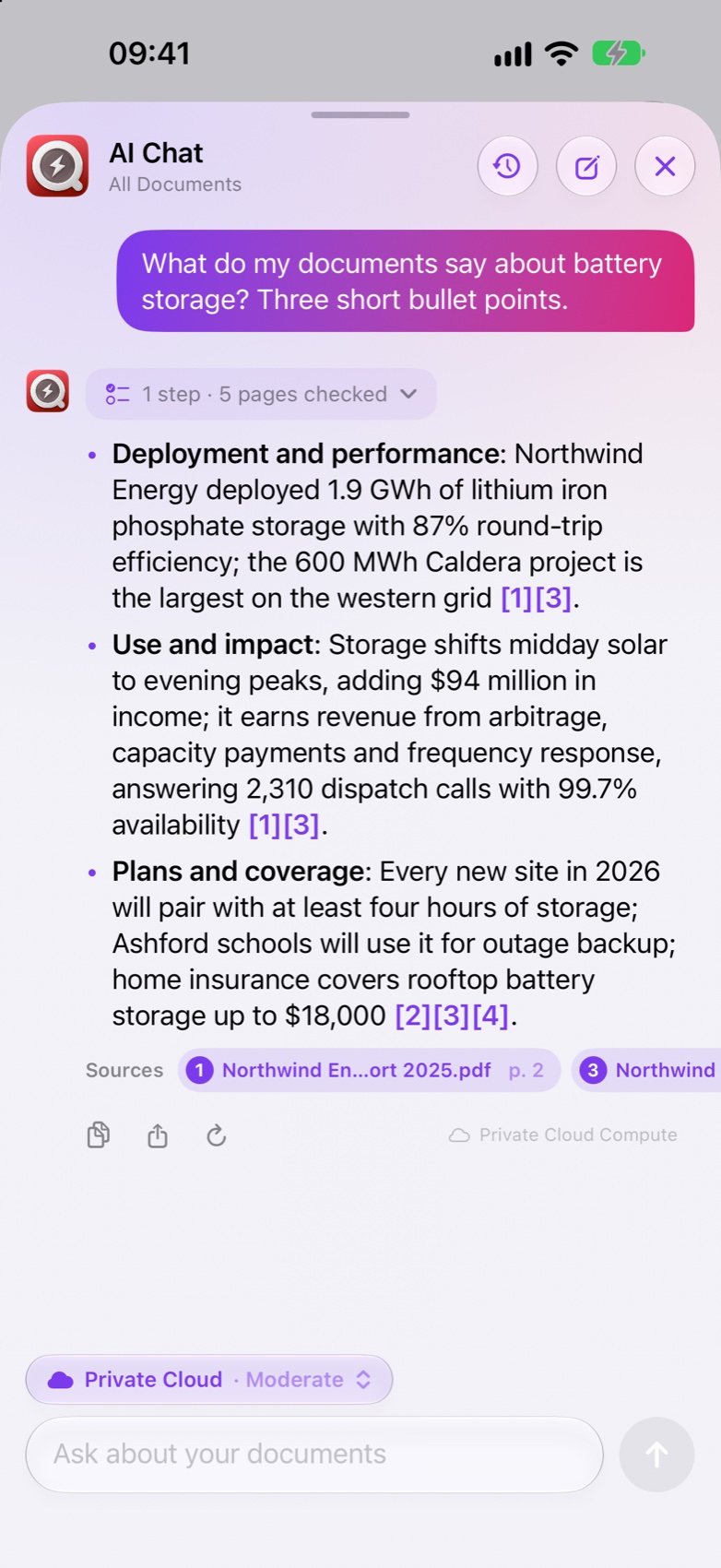
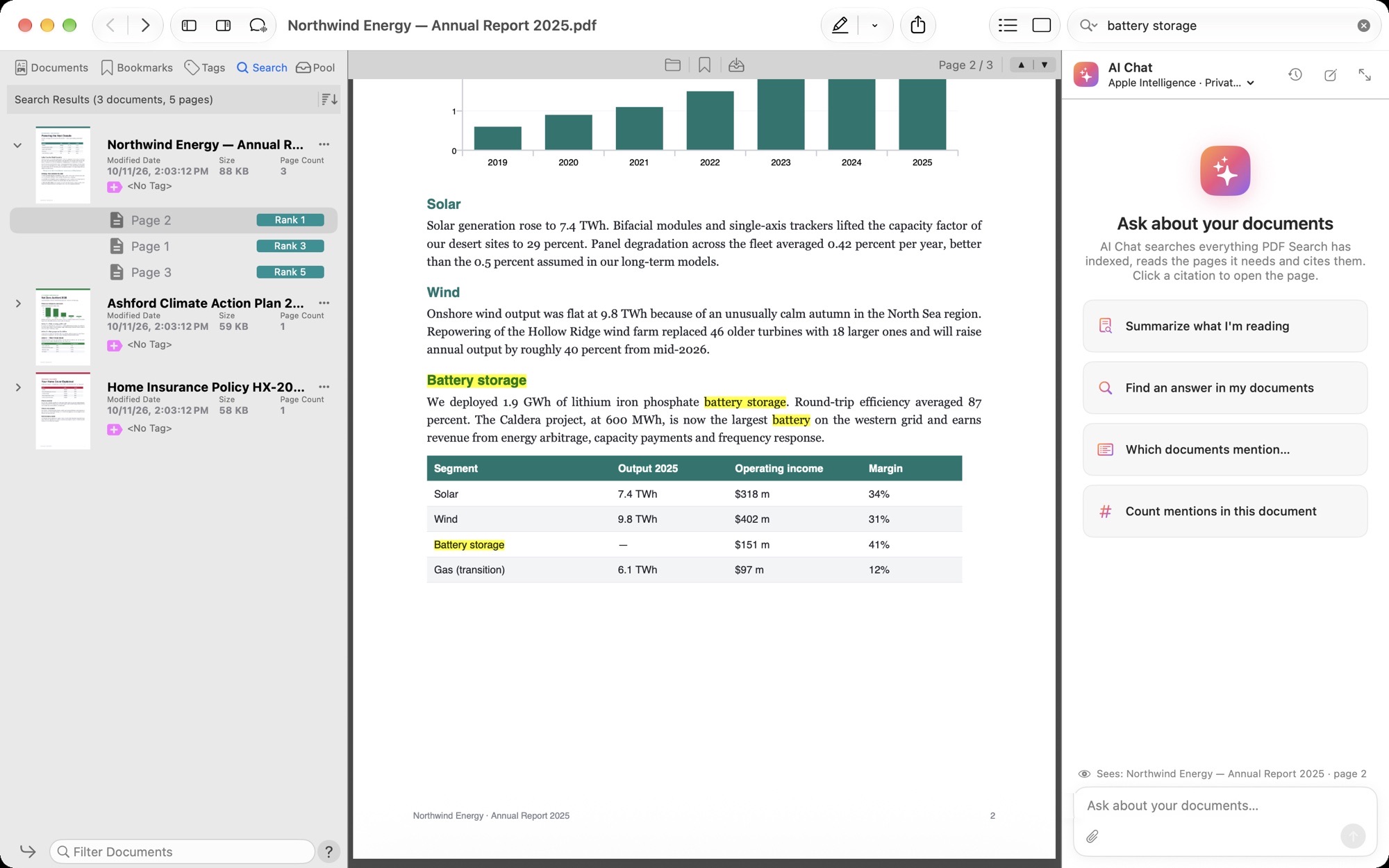
No exact titles, no quotes needed. Search everything at once, one folder, a tag, or only the results you already have.
Thousands of documents, every page of every one — PDFs, Word, Pages, slides, scans. Plurals, word roots and similar spellings count too, with Apple’s Natural Language framework.
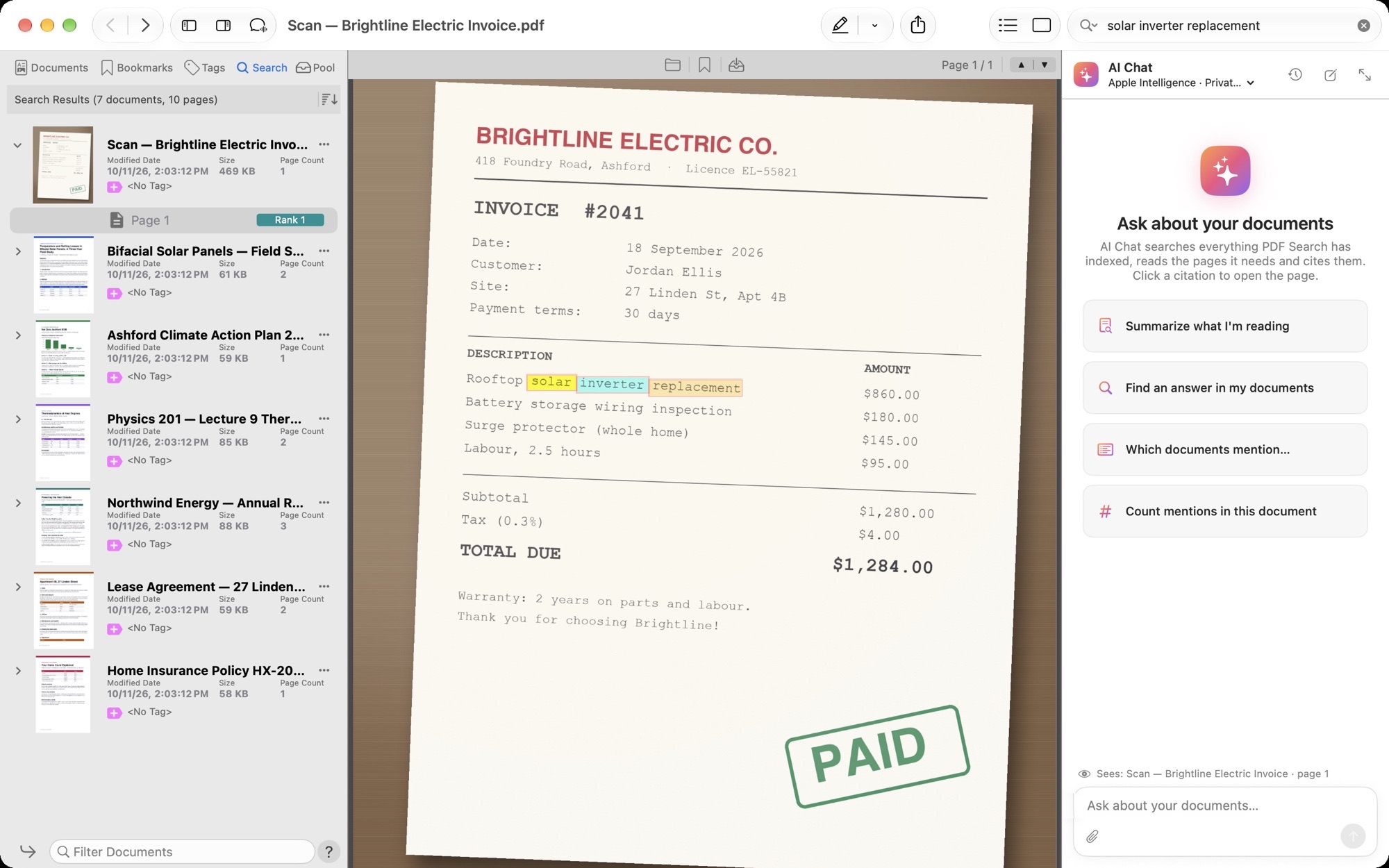
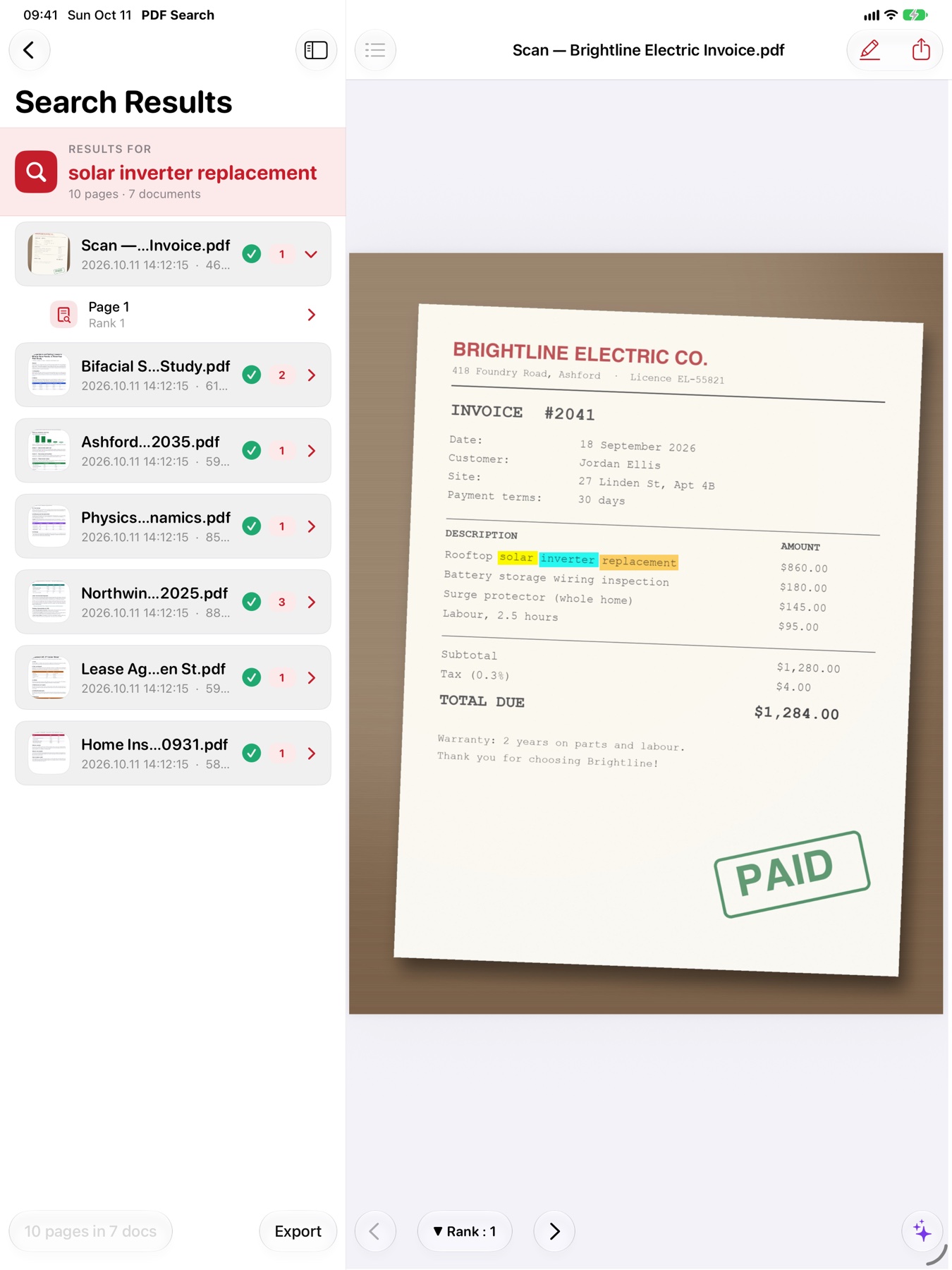
Words that sit together beat words pages apart. A hit in a heading or in bold counts for more. Each page gets a score for how well it answers you.
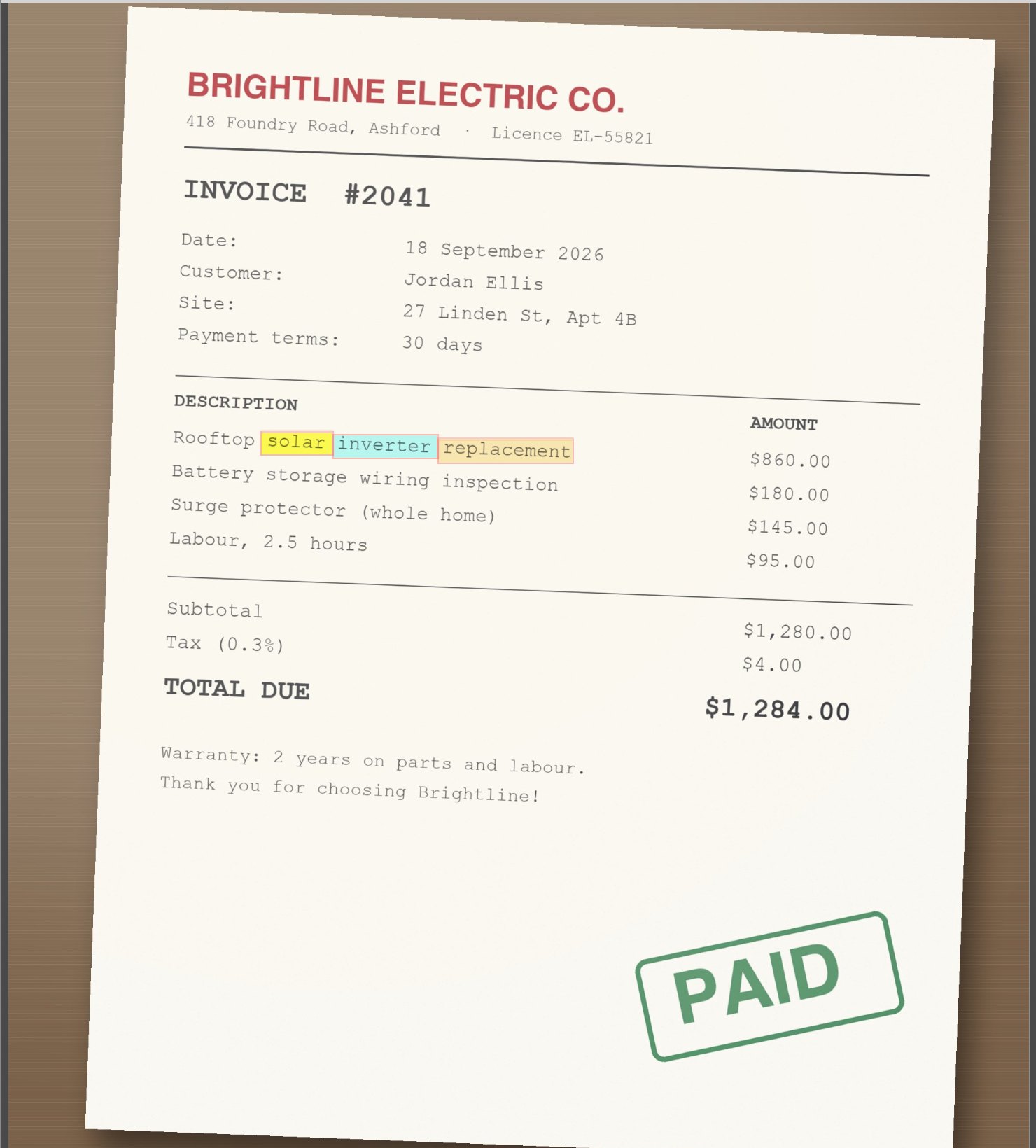
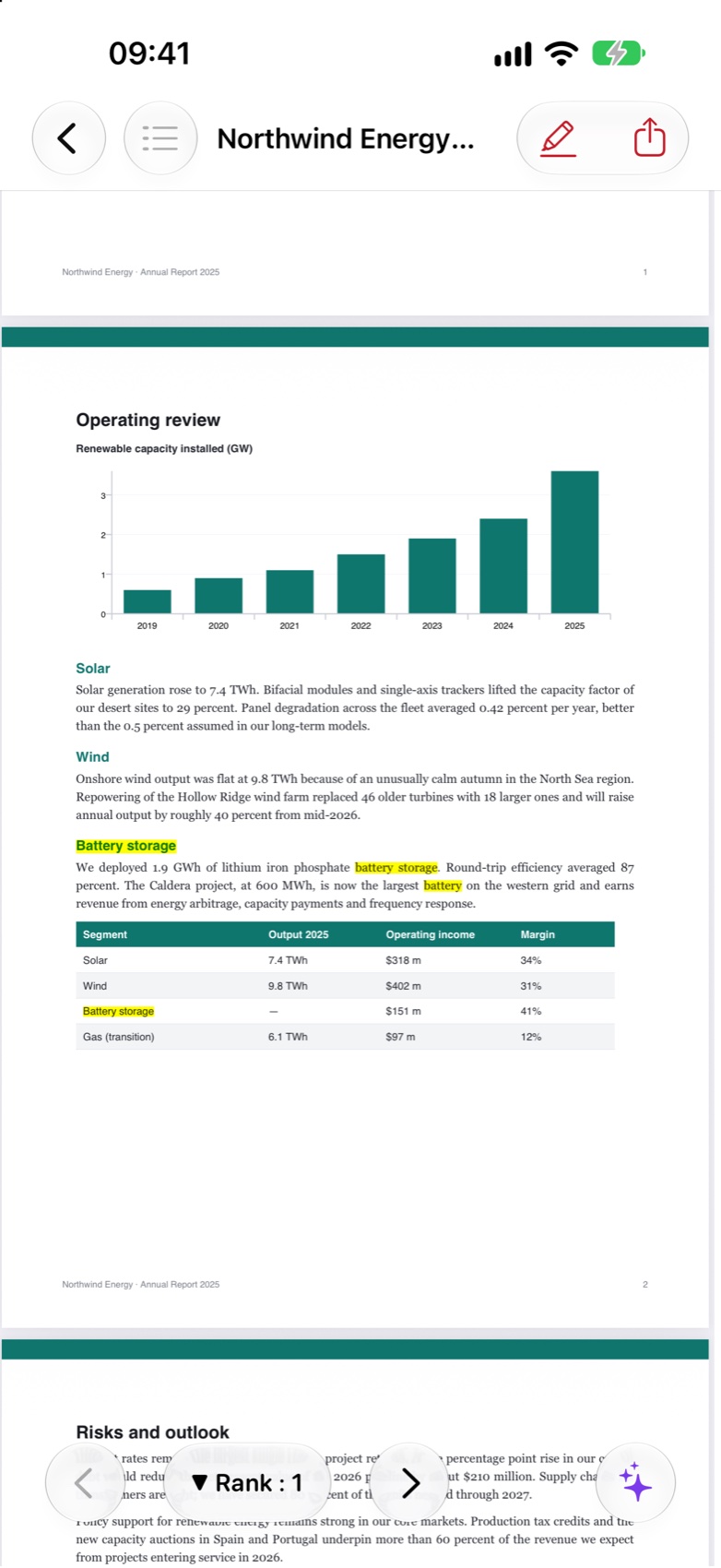
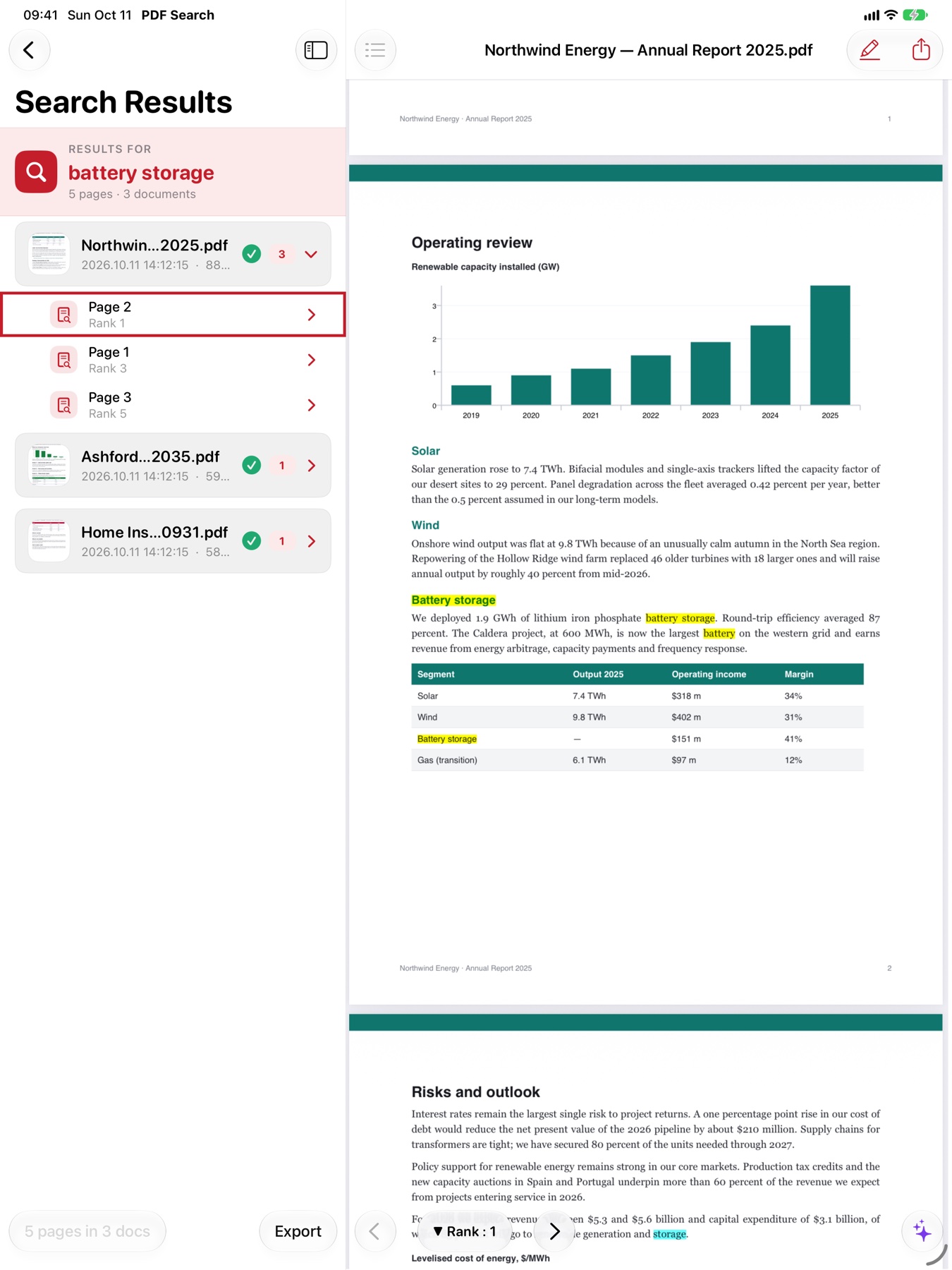
Results arrive ranked across all your documents, and each one opens on the right page with every hit highlighted. Jump from Rank 1 to Rank 2 with one click.
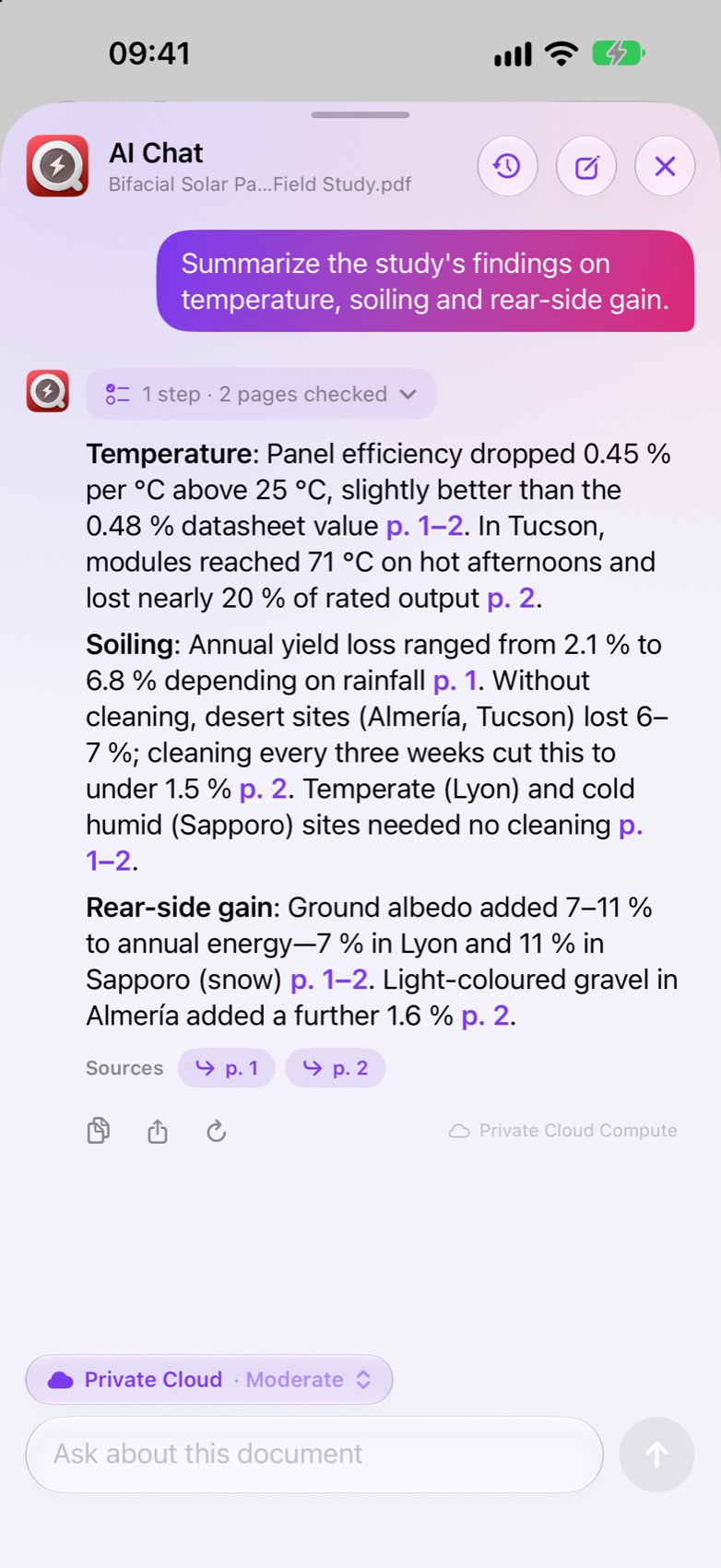
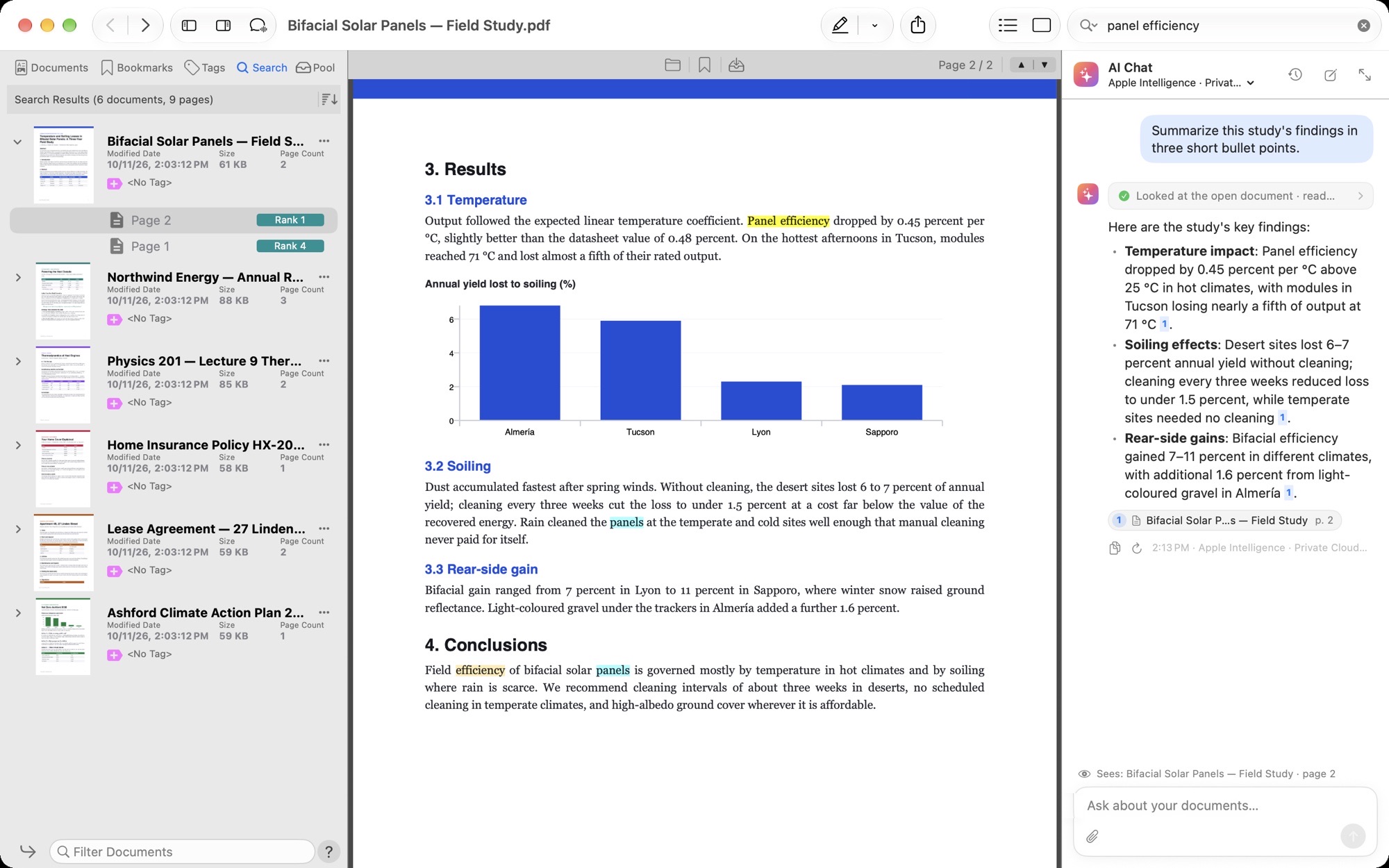
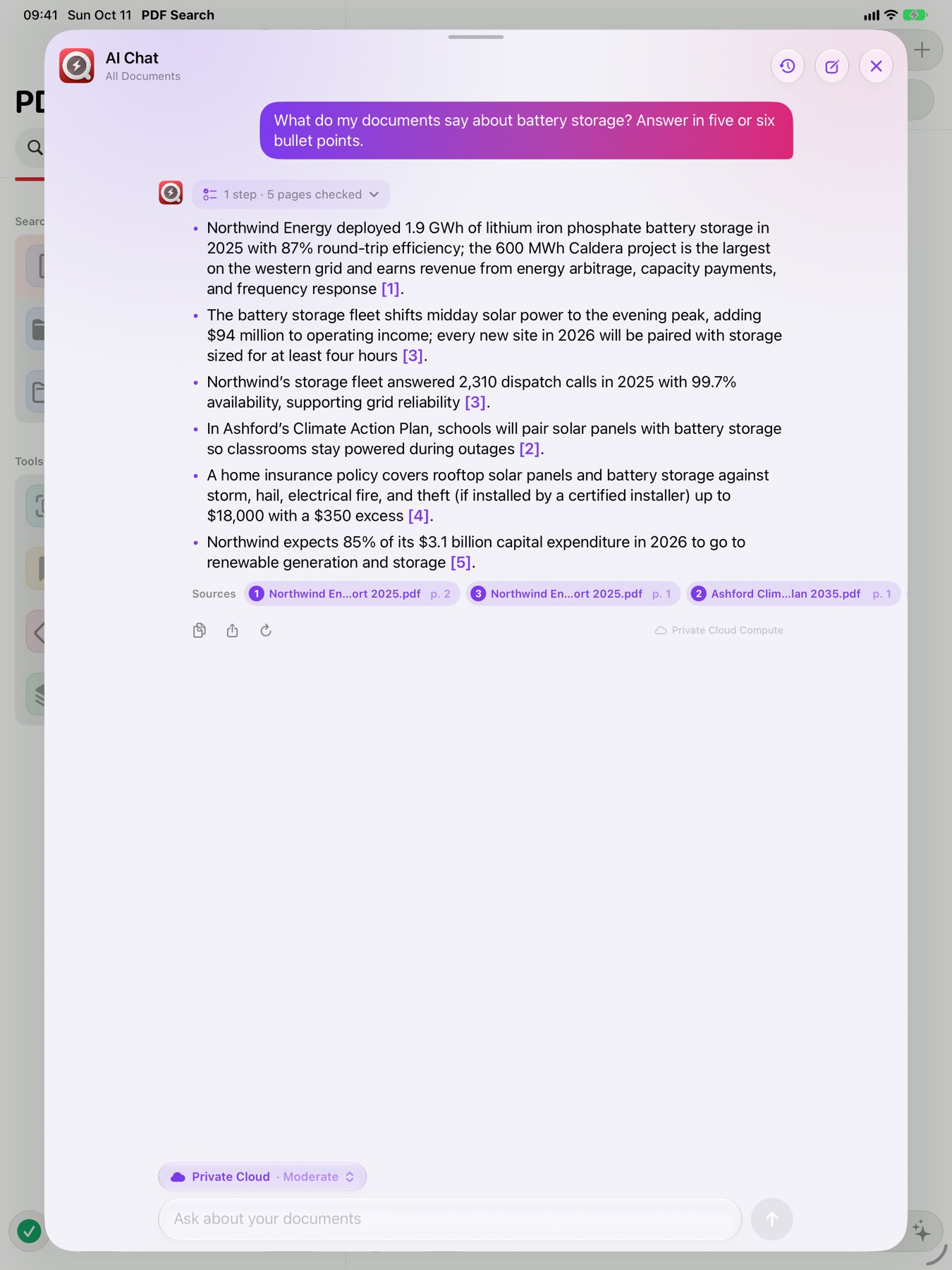
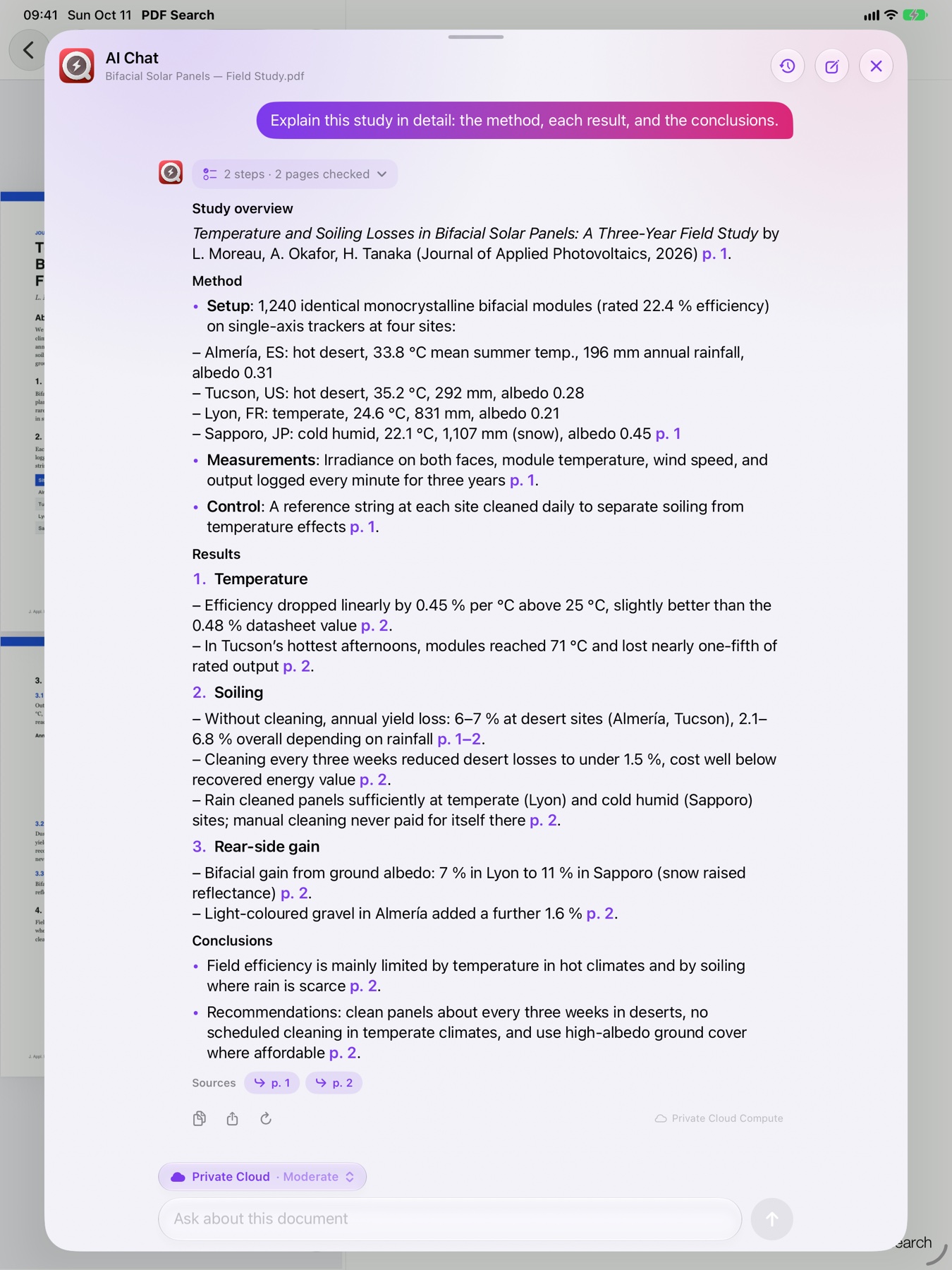
Ask a question. AI Chat searches your library with PDF Search’s own ranking, opens the pages it needs, and answers with numbered sources. Click one and the document opens on that page.
Yes. You can end the lease before the term by giving sixty days’ written notice 1.
The early termination fee is one month of rent 1, waived if you relocate for active military service 1.
Renewing instead needs written notice at least 60 days before 31 August 2027 2.
Every engine gets the same tools. What changes is where your passages go — and whether anything leaves your device at all.
Runs on your device, or on Apple’s Private Cloud Compute. Free, nothing to set up — and we never receive your questions or answers.
AI Chat with Apple Intelligence needs a supported device: iPhone 15 Pro or later, an iPad or Mac with an M-series chip, on iOS / macOS 26 or later. Private Cloud Compute needs iOS / macOS 27.
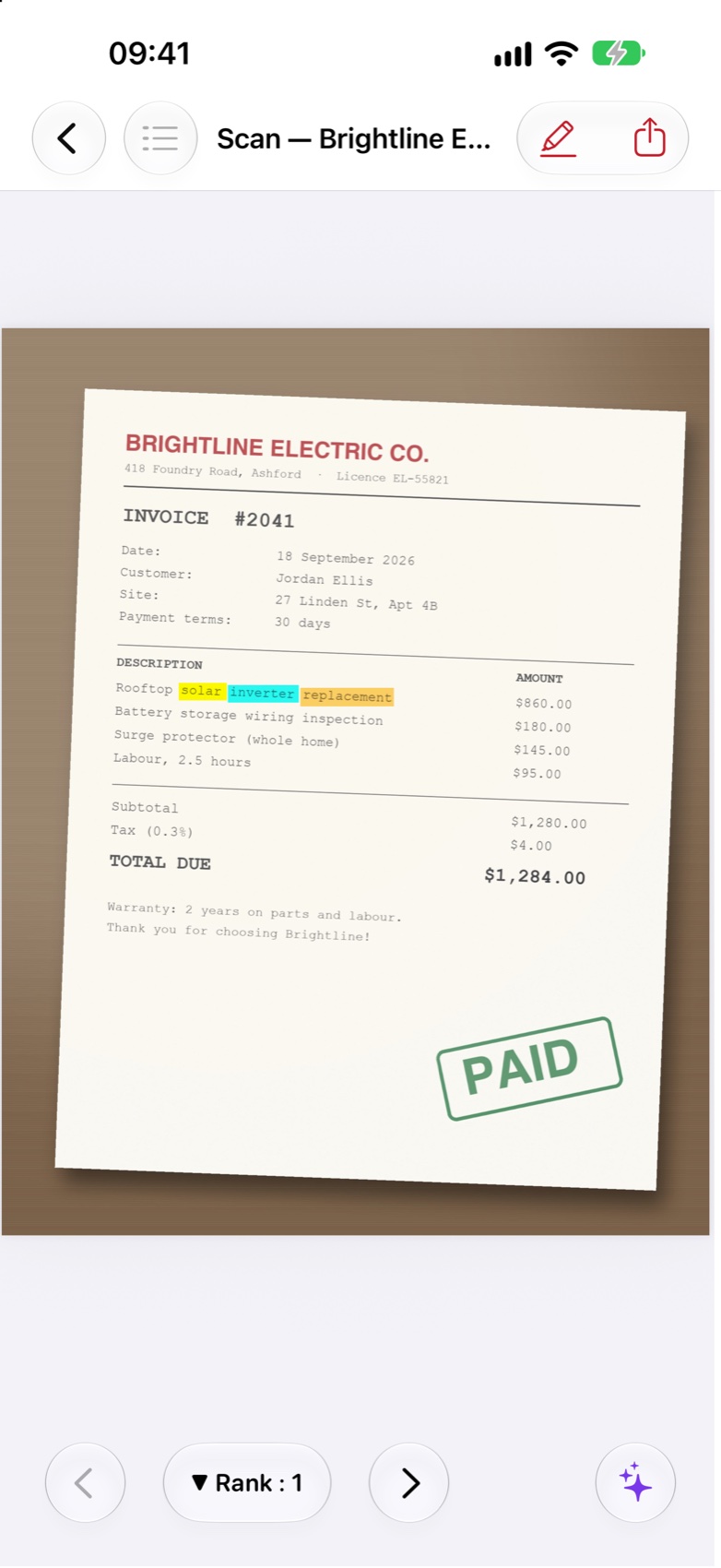
Scanned contracts, photographed receipts, screenshots of slides and image-only PDFs are read on your device with Apple’s Vision and indexed like any other text.
PDF Search 16 turns them into PDFs right inside the app — with their pictures, tables, charts and slide designs — and indexes them beside everything else. No extra converter app to install.
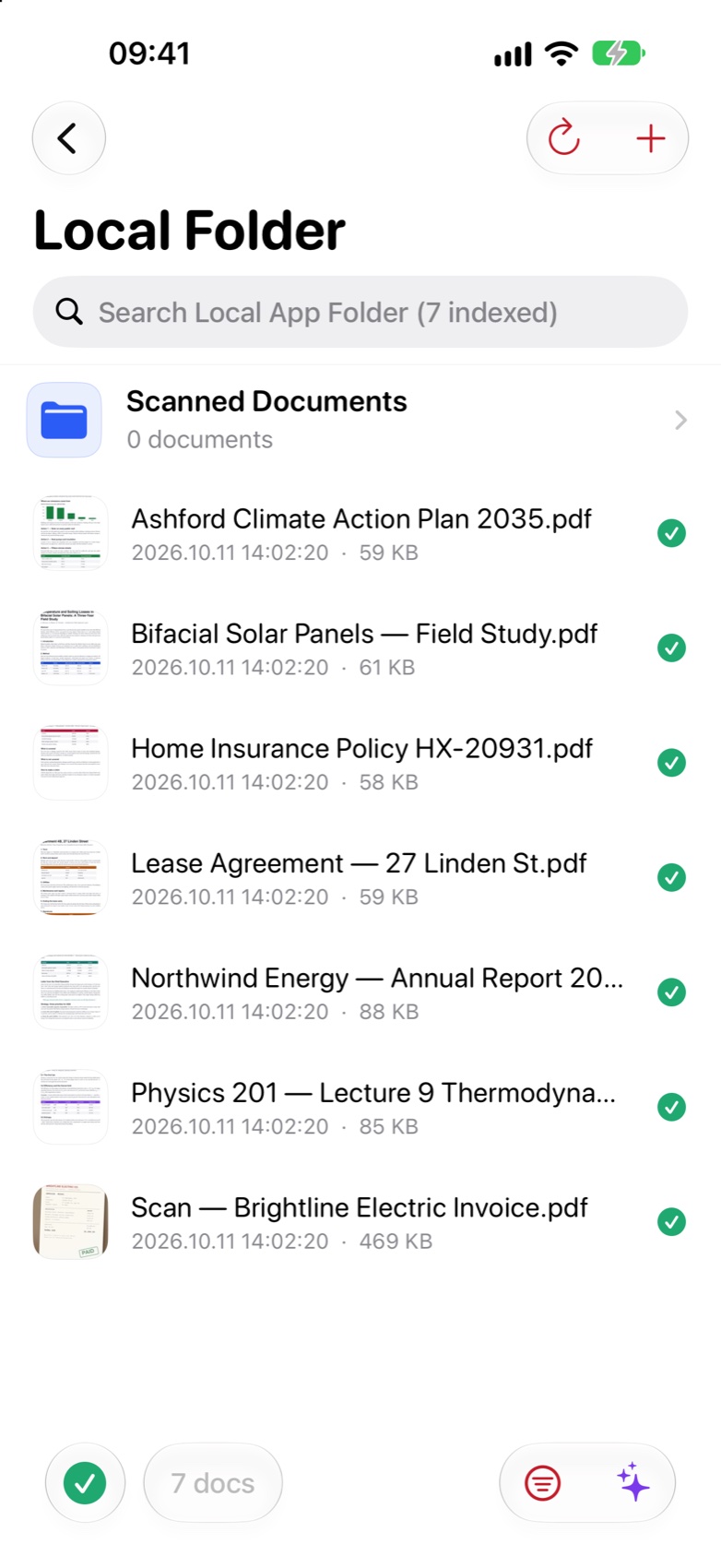
Converted in an isolated process, so a damaged file can’t take the app down. Index from any folder, external drive or iCloud Drive.
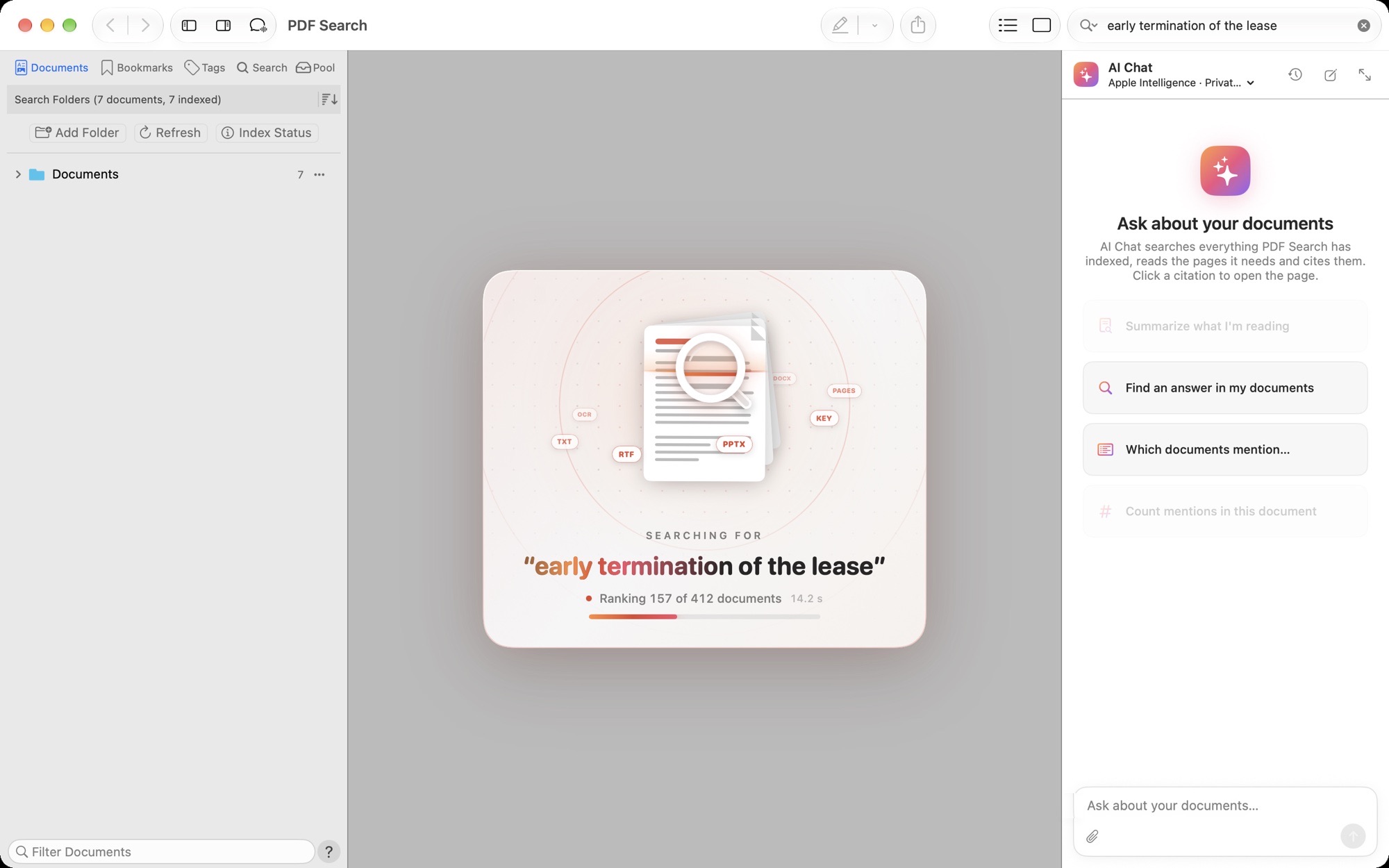
On the Mac, a live card shows the ranking as it happens — and the results fill in behind it.
Search from a global shortcut or the menu bar without leaving what you’re doing.
Tag documents, bookmark pages with notes, highlight and annotate — then search inside a tag.
Gather the pages that answer you into one new PDF to share or keep.
Send documents and their ready-made index to your iPhone or iPad over Wi-Fi. No indexing twice.
The built-in scanner turns paper into searchable pages in seconds.
Indexing, text recognition, conversion and search run on your iPhone, iPad or Mac. Purchases are verified on the device by the App Store. AI Chat sends only the passages it reads to the AI you choose — and nothing at all with Apple Intelligence on device or a local model.
Every edition searches the same way. The free apps unlock Pro inside the app; the PRO editions have everything from the first launch.
 iPhone & iPad · Free
Index and search everything for free. Pro adds AI Chat, search in images, scanning, word forms, every ranked result and export — monthly, yearly or once.

 iPhone & iPad · Paid
One purchase, every feature, no subscription and no in-app purchases. Built for big libraries of books, papers and contracts.
 Mac · Free
Search every folder and AI Chat with any engine. Pro adds search in images, word forms, every ranked result, export and duplicate skipping.

 Mac · Paid
The complete Mac edition, paid once. Only the optional built-in AI uses credits; Apple Intelligence, your own key and local models cost nothing more.
No. It searches the index first, like you would, then reads only the pages it needs. Every page it reads is listed under the answer, and the answer cites them by number.
On iPhone and iPad, Apple Intelligence (on the device or Apple’s Private Cloud Compute). On Mac you can also use the built-in AI (credit packs), your own Gemini API key, or a local model with Ollama or LM Studio.
Not for search: indexing, text recognition and search happen on your device. AI Chat sends the passages it reads to the AI you choose; with Apple Intelligence on device or a local model nothing leaves your device.
Not with PDF Search 16 for Mac: Word, PowerPoint, Pages, Keynote and OpenDocument files are converted inside the app. Earlier versions used the separate PDF Converter helper.
Yes. PDF Search on the Mac can send documents and their ready-made index to PDF Search on iPhone or iPad over Wi-Fi, so your phone doesn’t index them again.
They search the same way. The free apps unlock Pro features with an in-app purchase (subscription or one-time); the PRO editions are paid once and include everything.
PDF, Word, PowerPoint, Pages, Keynote, OpenDocument, RTF, Markdown, plain text, logs and many source code formats. Images inside documents are read with text recognition.

Free on iPhone, iPad and Mac.